
USB-C vs Lightning: What Cables You Actually Need


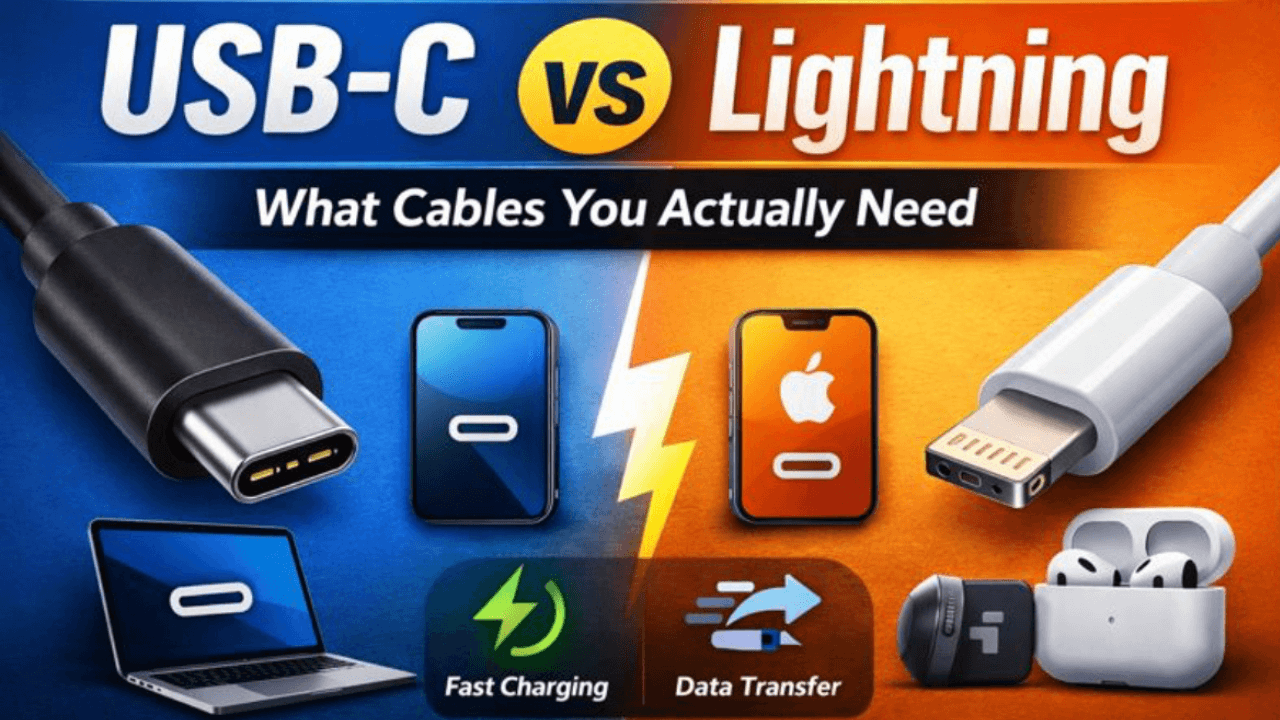
In the last few years, one question keeps coming up for everyday users, Apple fans, and tech beginners alike: USB-C vs Lightning — what cables do you actually need?
With Apple switching iPhones to USB-C, new AirPods models changing ports, and regulations pushing standardization, 2026 is a turning point. Choosing the wrong cable can mean slower charging, wasted money, or accessories that don’t work together.
This guide explains USB-C vs Lightning in simple terms:
- What each cable is
- Why the change matters in 2026
- Which cable you actually need for your devices
- Real-world examples (iPhone 15, AirPods Pro 2, AirPods Max)
Whether you’re a beginner or just confused by cables, this article will give you clarity.
What Is USB-C vs Lightning?
What is USB-C?
USB-C (Universal Serial Bus Type-C) is a reversible, oval-shaped connector used for charging, data transfer, video output, and more.
It’s used by:
- Android phones
- Laptops (MacBook, Windows)
- Tablets
- Power banks
- Headphones
- Gaming consoles
USB-C is not just a shape — it supports multiple technologies, including fast charging and
Why USB-C vs Lightning Matters in 2026
In 2026, the usb-c vs lightning differences matter more than ever because:
-
Apple has fully moved iPhones to USB-C
-
The EU requires USB-C as a standard charging port
-
Users want fewer cables, not more
-
Charging speed and data speed expectations are higher
This shift affects everyday users, not just tech experts.
Real-life problem
You travel with:
-
iPhone
-
AirPods
-
Laptop
-
Power bank
With Lightning, you needed multiple cables.
With USB-C, one cable can charge everything.


USB-C vs Lightning Cable Differences (Simple Explanation)
Connector Comparison
| Feature | USB-C | Lightning |
|---|---|---|
| Reversible | ✅ Yes | ✅ Yes |
| Universal | ✅ Yes | ❌ Apple only |
| Charging speed | Faster | Slower |
| Data speed | Much faster | Limited |
| Video output | Yes | No |
| Future-proof | Yes | No |
This usb-c vs lightning connector comparison shows why USB-C is becoming the default.
USB-C vs Lightning Charging Speed
Charging speed is one of the biggest reasons people switch.
USB-C Charging Speed
-
Supports fast charging (up to 240W)
-
Can charge laptops, phones, tablets
-
iPhone 15 charges faster with USB-C
Lightning Charging Speed
-
Limited to lower power
-
Slower charging for modern devices
USB-C vs Lightning charging speed matters especially if you:
-
Use power banks
-
Charge overnight
-
Work while charging
USB-C vs Lightning Cable Diagram (Explained in Words)


Think of it like this:
-
USB-C cable = multi-lane highway
-
Lightning cable = small city road
USB-C carries:
-
Power
-
Data
-
Audio
-
Video
Lightning mostly carries:
-
Power
-
Basic data
That’s the practical meaning of a usb-c vs lightning cable diagram.
iPhone 15: USB-C vs Lightning
Apple officially ended Lightning on iPhones with the iPhone 15 USB-C vs Lightning change.
What changed?
-
iPhone 15 uses USB-C
-
Older iPhones use Lightning
-
Same cable now works for iPhone, iPad, MacBook
This is one of the most important usb-c vs lightning differences usa users noticed.
AirPods Pro 2 USB-C vs Lightning
Apple now sells AirPods Pro 2 USB-C vs Lightning versions.
What’s the difference?
| Feature | USB-C Version | Lightning Version |
|---|---|---|
| Charging port | USB-C | Lightning |
| Compatibility | Universal | Apple only |
| Future support | Longer | Limited |
The earbuds are identical — only the port changed.
This usb-c vs lightning airpods pro 2 comparison matters if you want fewer cables.
AirPods Max USB-C vs Lightning Differences
AirPods Max were originally Lightning-only. Apple now offers AirPods Max USB-C vs Lightning differences mainly in charging convenience.
-
USB-C matches iPhone 15
-
Lightning requires separate cable
-
Sound quality stays the same
USB-C vs Lightning vs Thunderbolt
This is where beginners get confused.
USB-C vs Lightning vs Thunderbolt
| Technology | What it is |
|---|---|
| USB-C | Connector shape |
| Lightning | Apple connector |
| Thunderbolt | High-speed protocol over USB-C |
USB-C vs Lightning vs Thunderbolt means:
-
Thunderbolt uses USB-C shape
-
Lightning cannot support Thunderbolt
-
Not all USB-C cables are Thunderbolt
USB-A vs USB-C vs Lightning (Which to Choose in 2025–2026?)
USB-A
-
Old rectangular port
-
Slowly disappearing
-
Still on chargers and computers
USB-C
-
Best choice
-
Fast, universal, future-proof
Lightning
-
Only for older Apple devices
Answer:
Choose USB-C whenever possible.
Are USB-C Cables Better Than Lightning?
Yes — for most users.
USB-C benefits
-
Faster charging
-
Faster data transfer
-
One cable for many devices
-
Widely available
Lightning benefits
-
Works with older Apple devices
-
Smaller ecosystem
This answers the common USB-C vs Lightning: which one is the best for you question.
Is Lightning Cable Outdated?
In 2026, yes.
-
Apple is phasing it out
-
Accessories are moving to USB-C
-
Regulations discourage proprietary ports
That’s why people ask: Why are Lightning cables being banned?
The answer: standardization and less electronic waste.The Verge: iPhone USB-C transition explained
Does Lightning Cable Fit in USB-C Port?
No.
-
Lightning ≠ USB-C
-
They are physically different
-
Adapters exist but reduce performance
This clears up a very common beginner confusion. EU USB-C standardization rules
USB-C vs Lightning Size
Both are small, but:
-
USB-C is slightly wider
-
Lightning has exposed pins
-
USB-C is more durable long-term
Durability: USB-C vs Lightning (Reddit-Style Insight)
From user experiences:
-
USB-C ports last longer
-
Lightning pins wear out faster
-
Cheap Lightning cables fail more often
This matches most usb-c vs lightning durability reddit discussions.
What Cables You Actually Need in 2026
Buy these:
-
USB-C to USB-C cable (main cable)
-
USB-C fast charger
-
USB-C power bank cable
Only keep Lightning if:
-
You own older iPhones
-
You use old AirPods
-
You haven’t upgraded yet
If you want accessory recommendations, see our [Best Mobile Accessories Guide].
Internal Resources
-
Best Mobile Accessories Guide (pillar page)
-
iPhone Charging Accessories Explained
-
How to Choose the Right Fast Charger
-
USB-C Accessories You Actually Need
Fast charging guide (explains USB-C advantages)
FAQ
What is USB-C vs Lightning?
USB-C vs Lightning refers to the comparison between two different charging and data connectors.
-
USB-C is a universal standard used across many devices (phones, laptops, tablets).
-
Lightning is Apple’s proprietary connector used on older iPhones and accessories.
USB-C supports faster charging, faster data transfer, and broader compatibility.
What’s the difference between USB-A, USB-C, and Lightning cables, and which one should I choose in 2025–2026?
-
USB-A: Old rectangular connector, slowly being phased out
-
USB-C: Modern, fast, reversible, universal
-
Lightning: Apple-only, limited, being discontinued
Best choice: USB-C
It is the most future-proof option and works with nearly all new devices.
Is USB-C the same as Lightning?
No.
Although both are reversible, USB-C and Lightning are not the same:
-
They have different shapes
-
Different charging speeds
-
Different compatibility
USB-C is universal; Lightning only works with Apple devices.
USB-C vs Lightning: Which one is the best for you?
Choose USB-C if:
-
You own an iPhone 15 or newer
-
You want one cable for all devices
-
You care about fast charging
Choose Lightning only if:
-
You still use older Apple devices
-
You are not upgrading yet
For most users in 2026, USB-C is the better choice.
Are USB-C cables better than Lightning?
Yes.
USB-C cables are better because they:
-
Charge faster
-
Transfer data faster
-
Work with more devices
-
Last longer
This is why most tech users are switching to USB-C.
Why are Lightning cables being banned or phased out?
Lightning cables are being phased out because:
-
Governments (like the EU) require a universal standard
-
USB-C reduces electronic waste
-
Users need fewer cables
Apple has already moved iPhones to USB-C.
Is the Lightning cable outdated?
In 2026, yes.
Lightning is considered outdated because:
-
Apple no longer uses it on new iPhones
-
Accessories are switching to USB-C
-
Charging speeds are slower
Lightning still works, but it is no longer future-proof.
Can I use any USB-C cable with my Apple device?
For basic charging, yes.
However:
-
For fast charging → use a high-quality USB-C cable
-
For data transfer or video → not all USB-C cables support high speeds
Always check cable specifications.
USB-C vs Lightning: What cables do you actually need? (Reddit-style answer)
Most users recommend:
-
1–2 USB-C to USB-C cables
-
A USB-C fast charger
-
A USB-C power bank cable
Only keep Lightning cables if you still own older Apple devices.
USB-C vs Lightning charging speed: which is faster?
USB-C is faster.
-
USB-C supports fast charging and higher wattage
-
Lightning is limited and slower
This difference is especially noticeable on newer iPhones.
USB-C vs Lightning vs Thunderbolt: what’s the difference?
-
USB-C → connector shape
-
Lightning → Apple-only connector
-
Thunderbolt → high-speed technology that uses USB-C
Not all USB-C cables support Thunderbolt, but Lightning supports neither.
USB-C vs Lightning durability (Reddit user experience)
According to user feedback:
-
USB-C ports last longer
-
Lightning pins wear out more easily
-
Cheap Lightning cables break faster
USB-C is generally more durable.
Does a Lightning cable fit in a USB-C port?
No.
Lightning and USB-C are physically different and cannot fit into each other’s ports.
USB-C vs Lightning size: which one is smaller?
-
Lightning is slightly smaller
-
USB-C is slightly wider
However, USB-C is stronger and more versatile.
Summary: USB-C vs Lightning — Final Verdict
USB-C vs Lightning is no longer a debate — it’s a transition.
Key takeaways
- USB-C is the future
- Lightning is being phased out
- One USB-C cable can replace many
- Charging is faster and simpler
Actionable steps
- Switch to USB-C cables now
- Replace Lightning only when upgrading
- Invest in quality USB-C accessories
If you want to simplify your tech life in 2026, USB-C is the cable you actually need.
[sp_easyaccordion id=”1513″]