
Why Samsung Galaxy Owners Should Buy the Samsung Galaxy Book5 Pro 360 Instead of a MacBook 🔥 (The Truth Apple Won’t Tell You)
If you’re already using a Samsung Galaxy smartphone, smartwatch, or tablet, buying a laptop isn’t just about performance anymore—it’s about ecosystem integration. For years, Apple users enjoyed seamless connectivity between their iPhones, iPads, and MacBooks. However, Samsung has been closing the gap rapidly with the Samsung Galaxy Book5 Pro 360.
The latest Galaxy Book5 Pro 360 combines powerful AI features, a stunning AMOLED touchscreen, 360-degree flexibility, and deep integration with Samsung Galaxy devices. For existing Samsung users, this integration can dramatically improve productivity and convenience in everyday life.
thanks to its Lunar Lake architecture and dedicated NPU, the laptop seamlessly drives local AI workflows alongside your phone. You can check out the full hardware breakdown on the official Samsung Galaxy Book5 Pro 360 product page.”


Check the latest price here: Samsung Galaxy Book5 Pro 360
In this guide, we’ll explore why Samsung Galaxy owners should seriously consider the Galaxy Book5 Pro 360 instead of Apple’s MacBook Air M4.
What Is Samsung Ecosystem Integration?
Samsung Ecosystem Integration refers to the way Samsung devices communicate and work together seamlessly. Similar to Apple’s ecosystem, Samsung enables users to connect smartphones, tablets, earbuds, smartwatches, and laptops into a unified workflow.
Instead of constantly transferring files, logging into apps, or emailing documents to yourself, Samsung devices can share information instantly.
The Galaxy Book5 Pro 360 is designed to act as the central hub of this ecosystem.
For Samsung users, this means:
- Faster productivity
- Better multitasking
- Simplified file transfers
- Shared device experiences
- Less dependence on third-party software
The more Samsung devices you own, the more valuable the Galaxy Book5 Pro 360 becomes.
while MacBooks are praised for their efficiency, this 2-in-1 hybrid matches that stamina with a massive 76 Wh battery capable of up to 25 hours of video playback. Independent benchmarking on the Notebookcheck Galaxy Book5 Pro 360 review hub highlights its impressive gains in display efficiency and graphics.
Galaxy Phone + Galaxy Book Features
One of the biggest reasons Samsung users choose the Galaxy Book5 Pro 360 is the direct integration with Galaxy smartphones.
Key features include:
Quick Share
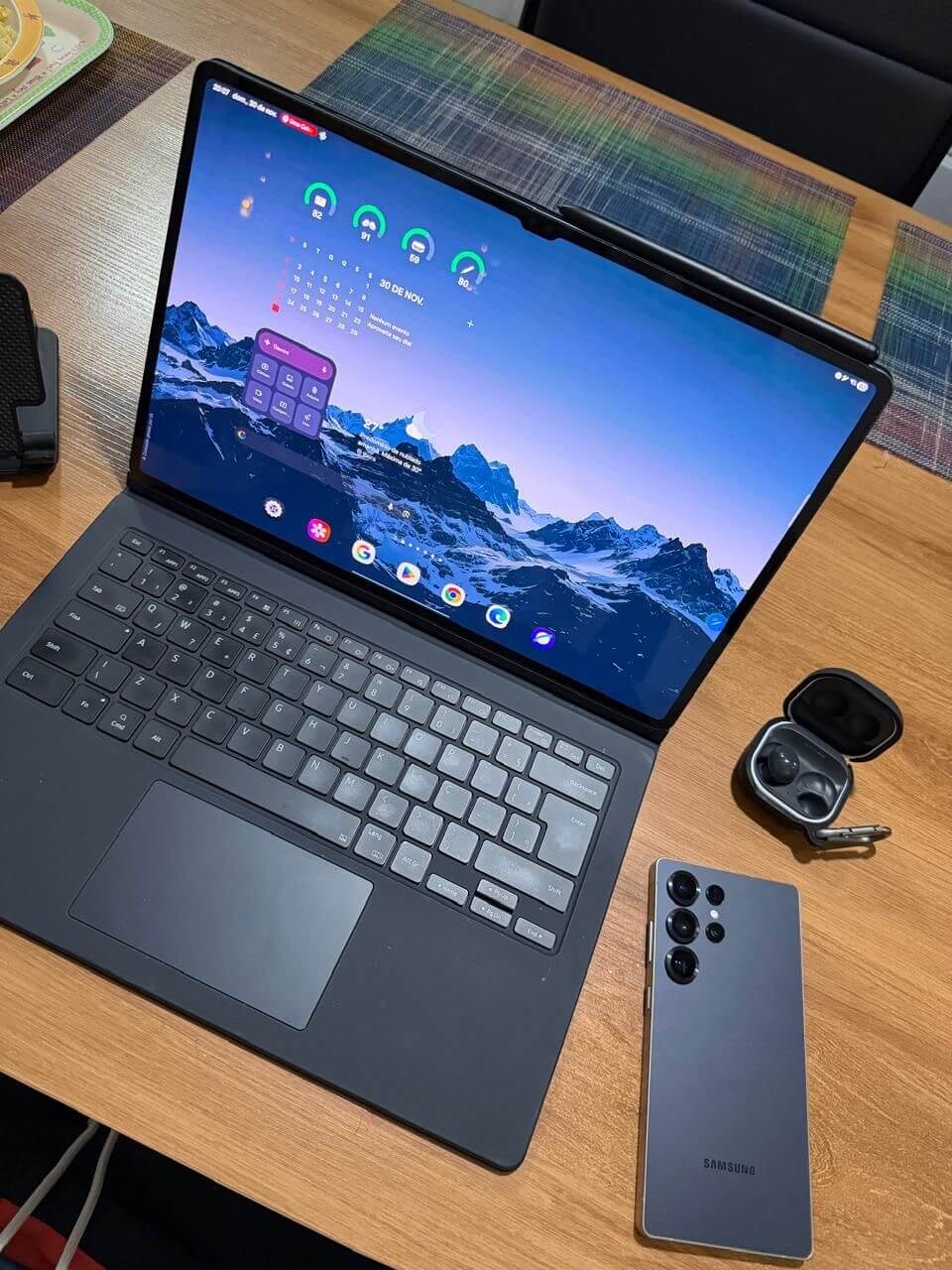
Quick Share allows instant wireless file transfers between Galaxy devices.
You can send:
- Photos
- Videos
- Documents
- PDFs
- Presentations
without needing cables, cloud uploads, or external drives.
Check today’s latest Galaxy Book5 Pro 360 deals here
Call and Text Sync
The Galaxy Book5 Pro 360 can handle calls and text messages directly from your laptop.
Instead of reaching for your phone during work, everything remains accessible on your computer.
Notification Sync
Receive smartphone notifications directly on your laptop.
This keeps you connected while maintaining productivity.
Storage Share Explained
Storage Share is one of Samsung’s most underrated productivity features.
This feature allows your Galaxy smartphone’s storage to appear directly on your Galaxy Book5 Pro 360.
Instead of:
- Connecting cables
- Uploading files to cloud storage
- Using USB drives
you can browse your phone’s files from your laptop almost instantly.
Benefits include:
- Faster access to photos
- Easy video editing workflows
- Quick document management
- Simplified backups
For content creators, students, and professionals, this feature can save significant time every week.
Second Screen Explained
Many users purchase expensive external monitors to increase productivity.
Samsung offers a clever alternative.
If you own a Galaxy Tab, you can use it as a wireless second display for your Galaxy Book5 Pro 360.
Benefits include:
- Extended desktop workspace
- Better multitasking
- Easier note-taking
- Improved remote work setup
Students can watch lectures on one screen while taking notes on another.
Professionals can keep emails open on a secondary display while working on their primary monitor.
This feature essentially turns your Galaxy tablet into a portable monitor.
Phone Link Explained
Microsoft Phone Link is deeply integrated into the Galaxy Book5 Pro 360.
Phone Link enables:
- Accessing mobile apps
- Viewing messages
- Making calls
- Viewing notifications
- Managing photos
directly from your laptop.
Unlike many competing solutions, Phone Link feels natural and easy to use.
For Galaxy users, the setup process is straightforward and takes only a few minutes.
Many users discover they rarely need to touch their phone while working because everything is already available through the laptop.
Apple has Continuity, but Samsung has optimized its Windows layout to mimic that exact fluidity for Android users. To see how these tools sync with your existing tablet or wearables, explore the Samsung Galaxy Book ecosystem features.
Check today’s latest Galaxy Book5 Pro 360 deals here

Samsung Multi Control Explained

Samsung Multi Control is one of the strongest arguments for choosing a Galaxy Book5 Pro 360 over a MacBook.
This feature allows users to control multiple Samsung devices using a single keyboard and mouse.
Imagine:
- Writing a document on your Galaxy Book5 Pro 360
- Moving your cursor directly onto a Galaxy Tab
- Dragging files between devices
- Copying and pasting text seamlessly
without reconnecting accessories.
The experience feels surprisingly similar to Apple’s Universal Control.
For Samsung users, Multi Control creates a smooth workflow that boosts productivity and reduces friction.
Galaxy Book5 Pro 360 vs MacBook Air M4 Ecosystem Comparison
Many buyers compare the Galaxy Book5 Pro 360 with the MacBook Air M4.
While the MacBook Air M4 remains an excellent laptop, ecosystem advantages depend heavily on which devices you already own.
Check today’s latest Galaxy Book5 Pro 360 deals here
Choose the MacBook Air M4 if:
- You own an iPhone
- You use an iPad daily
- You rely on AirDrop
- You are invested in Apple services
Choose the Galaxy Book5 Pro 360 if:
- You own a Galaxy smartphone
- You use Galaxy Buds
- You own a Galaxy Watch
- You have a Galaxy Tab
- You prefer Windows software
Samsung’s ecosystem has become surprisingly competitive.
For users already living in the Galaxy ecosystem, switching to a MacBook often means losing convenience and workflow efficiency.
For a detailed comparison, read:
Samsung Galaxy Book5 360 vs MacBook Air M4:
https://bestmobileessentials.com/samsung-galaxy-book5-360-vs-macbook-air-m4/

Is Samsung Finally Catching Apple?

The answer is yes.
A few years ago, Apple’s ecosystem advantage was overwhelming.
Today, Samsung has narrowed the gap significantly.
The Galaxy Book5 Pro 360 delivers:
- AI-powered productivity tools
- Strong Windows compatibility
- Seamless Galaxy integration
- Stunning AMOLED display
- Flexible 2-in-1 design
- S Pen support
- Premium build quality
Most importantly, Samsung now offers ecosystem features that rival many of Apple’s most popular conveniences.
While Apple still excels in certain areas, Samsung users no longer need to feel forced into buying a MacBook to enjoy a connected device experience.
Additional Resources
If you’re researching Galaxy Book5 models, these guides may help:
Samsung Galaxy Book5 360 vs ASUS ROG Strix G16: Best Buy?
https://bestmobileessentials.com/samsung-galaxy-book5-360-vs-asus-rog-strix-g16-best-buy/
Galaxy Book5 360 or ROG Strix G16: Which Wins 2026?
https://bestmobileessentials.com/galaxy-book5-360-or-rog-strix-g16-which-wins/
Samsung Galaxy Book5 360 Review for Students:
https://bestmobileessentials.com/samsung-galaxy-book5-360-review-for-students-the-ai-laptop-every-student-wants-in-2026/
Samsung Galaxy Book5 360 Student Discount:
https://bestmobileessentials.com/samsung-galaxy-book5-360-student-discount-best-deals/
Is the Galaxy Book5 Pro 360 Worth It for Architecture Students?
https://bestmobileessentials.com/is-samsung-galaxy-book5-pro-360-worth-it/
Final Verdict
If you’re already a Samsung Galaxy user, the Galaxy Book5 Pro 360 is arguably the smartest laptop upgrade available today.
Its ecosystem integration makes daily tasks easier, improves productivity, and creates a seamless experience across your devices.
While the MacBook Air M4 remains an excellent choice for Apple users, Galaxy owners will often get more practical value from staying within Samsung’s ecosystem.
From Quick Share and Multi Control to Storage Share and Second Screen, the Galaxy Book5 Pro 360 proves that Samsung is no longer just competing with Apple—it is becoming a genuine alternative.
Ready to upgrade?
Check today’s latest Galaxy Book5 Pro 360 deals here:
https://amzn.to/49zYPB8
Samsung Galaxy Book5 Pro 360 ecosystem
The Samsung Galaxy Book5 Pro 360 ecosystem is designed to create a seamless connection between work, creativity, and mobility, and at the center of it all is the Samsung Galaxy Book5 Pro 360 ecosystem, which integrates devices and services in a way that feels effortless. Whether you’re switching from tablet mode to laptop mode or syncing your phone and earbuds, the Samsung Galaxy Book5 Pro 360 ecosystem ensures everything stays connected without interruptions. For professionals and students alike, the Samsung Galaxy Book5 Pro 360 ecosystem enhances productivity by allowing smooth multitasking across devices and apps. What makes it even more powerful is how the Samsung Galaxy Book5 Pro 360 ecosystem works with cloud services and Galaxy devices to keep your files and workflow synchronized in real time. In everyday use, the Samsung Galaxy Book5 Pro 360 ecosystem simplifies tasks like editing, streaming, and collaboration, making it feel like one unified system rather than separate gadgets. Overall, the Samsung Galaxy Book5 Pro 360 ecosystem stands out as a complete digital environment built for flexibility, performance, and convenience.