
Best Laptops for Computer Science Students in 2026 (Expert Picks for Coding & College)
Recommended Laptop Deals


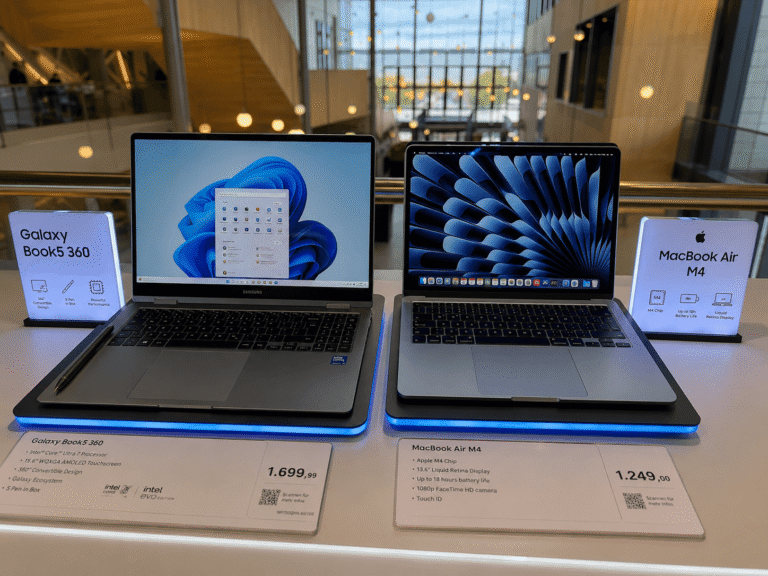
If you want outstanding battery life, excellent performance for coding, and a lightweight design that’s easy to carry around campus, the MacBook Air M4 is a top choice.
👉 Check the latest price on Amazon

Perfect for students who want to combine programming with digital note-taking, touchscreen flexibility, and a premium display.

A versatile convertible laptop with strong productivity features, ideal for coding, research, presentations, and multitasking.
👉 See the current price on Amazon

Need extra power for machine learning, game development, virtualization, or GPU-intensive workloads? The ROG Strix G16 is built for demanding tasks.
👉 Check availability and pricing on Amazon
If you’re studying computer science, your laptop is more than just a device for taking notes. It’s your development environment, testing machine, research tool, and often your classroom. Whether you’re writing Python scripts, building web applications, compiling Java projects, or experimenting with machine learning, choosing the right laptop can make your academic life much easier.
When hunting for the Best Laptops for Computer Science Students in 2026, memory is non-negotiable; local virtual machines and resource-heavy IDEs demand a minimum of 16GB of RAM, though 32GB is the modern sweet spot to future-proof your coursework.
The good news is that you don’t need the most expensive computer on the market. The best laptop for a computer science student depends on your coursework, budget, and future career goals.
In this guide, we’ll cover the top laptop options for computer science students in 2026, explain what specifications actually matter, and help you choose the best device for programming, software engineering, cybersecurity, AI, and more.
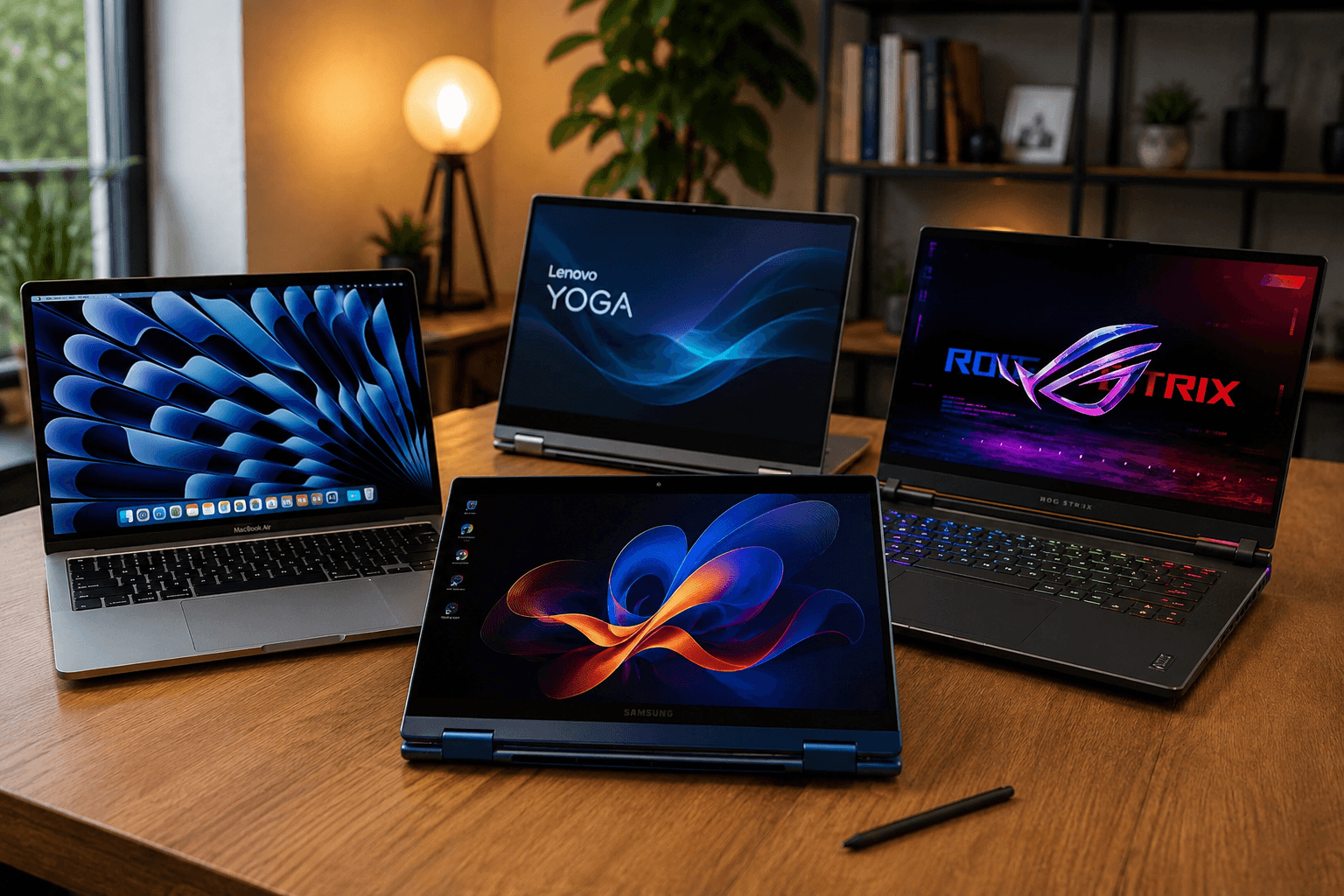
Quick Comparison
| Laptop | Best For | Key Strength |
| MacBook Air M4 | Programming, battery life, portability | Excellent performance and long battery life |
| Samsung Galaxy Book5 Pro 360 | Students who want a 2-in-1 device | Convertible design with premium display |
| Lenovo Yoga 9i | Productivity and note-taking | Versatile design with strong everyday performance |
| ROG Strix G16 | Heavy workloads and gaming | Powerful hardware for demanding applications |
Navigating the modern tech landscape requires premium hardware, which is why our guide on the Best Laptops for Computer Science Students in 2026 Success focuses heavily on models boasting at least 16GB to 32GB of ultra-fast RAM.
1. MacBook Air M4 – Overall for Computer Science Students


👉 Check the latest price on Amazon
The MacBook Air M4 is one of the strongest all-around choices for computer science students. It combines impressive processing power with excellent battery life and a lightweight design that is easy to carry between classes.
Students learning web development, mobile development, Python, Java, or data science will appreciate the smooth experience when running multiple applications simultaneously. The silent fanless design also makes it perfect for libraries and lecture halls.
Pros
- Incredible battery life
- Fast performance for coding
- Excellent keyboard and trackpad
- Lightweight and quiet
- Premium build quality
Cons
- Limited upgradeability
- Some Windows-only software may require alternatives
👉 Check the latest price on Amazon
2. Samsung Galaxy Book5 360 – Best 2-in-1 for Coding and Note-Taking


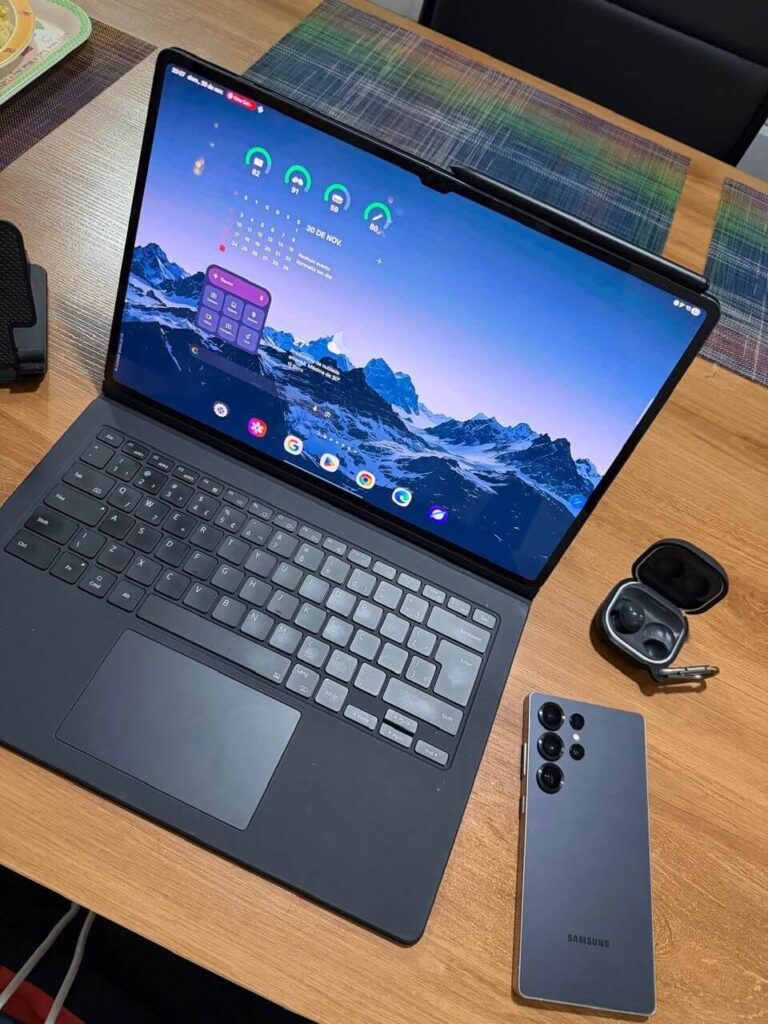
Students who like handwriting notes, drawing diagrams, or switching between laptop and tablet modes may enjoy the flexibility of the Samsung Galaxy Book5 Pro 360.
Its convertible design works well for lectures while still providing enough computing power for programming assignments and productivity tasks.
Best for
- Students who annotate PDFs
- Digital note-taking
- Everyday coding
- Portability
Advantages
- Touchscreen functionality
- Lightweight design
- Premium OLED display
- Good battery efficiency
👉 View today’s deal on Amazon
3. Lenovo Yoga 9i 2-in-1 Aura Edition – Best Premium Windows Laptop


👉 See the current price on Amazon
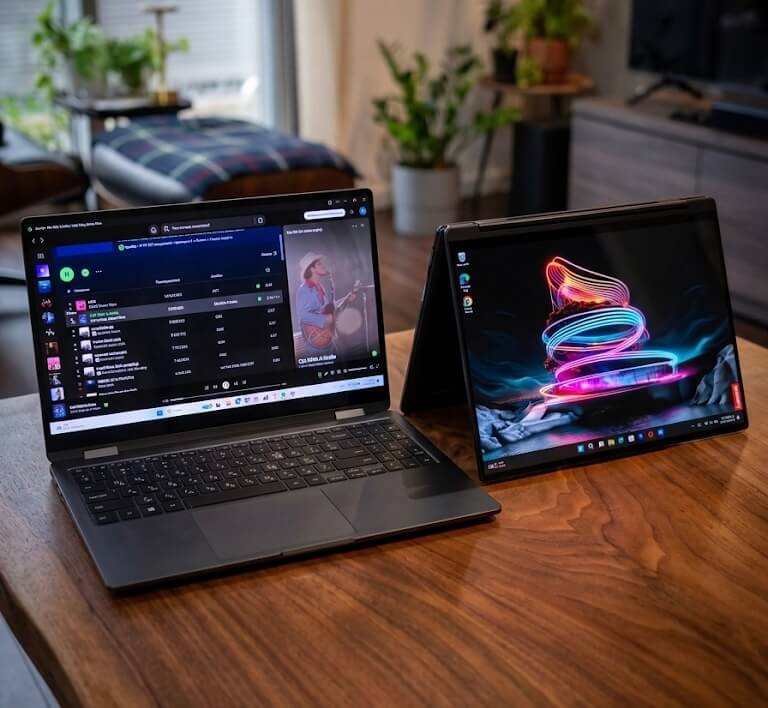
The Lenovo Yoga 9i balances premium design with productivity-focused features. Computer science students who spend long hours coding can benefit from its comfortable keyboard and flexible hinge.
It works well for:
- Visual Studio
- VS Code
- IntelliJ IDEA
- Android Studio
- Browser-based development
- Cloud programming
The convertible form factor also makes presentations and collaborative work more convenient.
Pros
- Premium build
- Comfortable keyboard
- Excellent multitasking
- Flexible 2-in-1 form factor
Cons
- Premium pricing
- May be more than some students need
👉 See the current price on Amazon
4. ASUS ROG Strix G16 – Best for AI, Machine Learning & Heavy Development


👉 Check availability and pricing on Amazon
Students working with machine learning, virtualization, game development, or GPU-intensive software may need more computing power than a thin ultrabook provides.
The ROG Strix G16 offers high-end performance suitable for:
- Unreal Engine
- Unity
- Docker containers
- Multiple virtual machines
- AI experiments
- Video editing
- Gaming during downtime
The trade-off is additional size, weight, and generally shorter battery life compared to ultraportable laptops.
Pros
- Powerful CPU and GPU
- Excellent for AI workloads
- Strong cooling system
- Handles demanding development tools
Cons
- Heavier than ultrabooks
- Shorter battery life under heavy loads
👉 Check availability and pricing on Amazon
If you are struggling to choose between a Unix-based MacBook or a highly versatile Windows machine, reviewing the Best Laptops for Computer Science Students in 2026 will help clear up which ecosystem aligns with your curriculum.
Related reading:
- Samsung Galaxy Book5 360 vs ASUS ROG Strix G16: Best Buy?
https://bestmobileessentials.com/samsung-galaxy-book5-360-vs-asus-rog-strix-g16-best-buy/ - Galaxy Book5 360 or ROG Strix G16: Which Wins 2026?
https://bestmobileessentials.com/galaxy-book5-360-or-rog-strix-g16-which-wins/ - Samsung Galaxy Book5 360 vs MacBook Air M4
https://bestmobileessentials.com/samsung-galaxy-book5-360-vs-macbook-air-m4/ - Samsung Galaxy Book5 360 Review for Students
https://bestmobileessentials.com/samsung-galaxy-book5-360-review-for-students-the-ai-laptop-every-student-wants-in-2026/ - Samsung Galaxy Book5 360 Student Discount Guide
https://bestmobileessentials.com/samsung-galaxy-book5-360-student-discount-best-deals/ - Is the Galaxy Book5 Pro 360 Worth It for Architecture Students?
https://bestmobileessentials.com/is-samsung-galaxy-book5-pro-360-worth-it/ - Samsung Galaxy Ecosystem vs MacBook
https://bestmobileessentials.com/samsung-galaxy-book5-pro-360-ecosystem/ - Samsung Galaxy Book5 Pro 360 vs Lenovo Yoga 9i Aura Edition
https://bestmobileessentials.com/samsung-galaxy-book5-pro-360-vs-lenovo-yoga-9i-aura-edition/
Compiling extensive codebases and running multiple virtual containers simultaneously requires serious multi-core processing power, a standard requirement detailed throughout our breakdown of the Best Laptops for Computer Science Students in 2026: Top Picks for Coding, AI, and College Success.
What Computer Science Students Should Look For
Processor
The CPU is one of the most important components. Modern Intel Core Ultra, AMD Ryzen, or Apple Silicon processors provide enough performance for most university coursework.
If your classes involve compiling large projects or running multiple development tools simultaneously, investing in a stronger processor can save significant time.
Memory (RAM)
For programming, 16 GB of RAM is a practical baseline.
You may benefit from 32 GB if you frequently use:
- Virtual machines
- Android emulators
- Docker containers
- Large IDEs
- AI or data science workflows
Storage
Solid-state storage dramatically improves responsiveness.
Recommended minimum:
- 512 GB SSD
Ideal:
- 1 TB SSD if you plan to install many development tools or datasets.
Battery Life
Students often spend entire days on campus.
Look for laptops that can comfortably last through lectures, labs, and study sessions without constant charging.
Long hours spent debugging in the library mean that exceptional keyboard ergonomics and all-day battery life are just as vital as raw processing speed when evaluating the Best Laptops for Computer Science Students in 2026
Display
A quality display reduces eye strain during long coding sessions.
Features worth considering include:
- High resolution
- Good brightness
- Accurate colors
- Comfortable scaling
- Matte or low-reflection finish if available
Keyboard
Programming involves typing thousands of lines of code.
Choose a laptop with:
- Comfortable key travel
- Reliable layout
- Responsive feedback
- Good backlighting
Portability
If you commute across campus every day, carrying a heavy laptop quickly becomes tiring.
Thin and lightweight models are often ideal for students who value mobility.
Aspiring software engineers shouldn’t overlook the importance of specialized on-device NPUs and discrete GPUs, both of which are heavily emphasized in the Best Laptops for Computer Science Students in 2026 for local machine learning assignments.
Which Laptop Is Best for Different Specializations?
Software Engineering
Prioritize:
- Fast CPU
- 16 GB+ RAM
- Reliable keyboard
- Long battery life
Artificial Intelligence and Machine Learning
Prioritize:
- Powerful processor
- Larger memory capacity
- GPU acceleration where needed
- Ample SSD storage
Cybersecurity
Students may run multiple operating systems and virtual machines simultaneously, making RAM and storage especially important.
Web Development
Most web development workloads run comfortably on modern laptops with 16 GB RAM and SSD storage.
Mobile App Development
Android development can be resource intensive, while Apple hardware may be particularly useful for students interested in iOS development.
For an in-depth breakdown of budget constraints versus programming requirements, read the Best Laptops for CS Students in 2026: From Freshman to Senior Year. This guide recommends options like the Lenovo IdeaPad Slim 5 16 for incredible value under $1,000, and the Acer Swift Go 14 OLED for compiling code on a crisp display.
Should You Buy Windows or macOS?
There is no universal answer.
Windows Advantages
- Broad software compatibility
- More hardware choices
- Easier hardware customization across manufacturers
- Gaming support
macOS Advantages
- Excellent battery life
- Smooth user experience
- Popular among developers
- Strong Unix-based command-line environment
Many professional developers successfully use both platforms.
Purchasing a machine that lacks expandable storage or modern Wi-Fi 7 connectivity can severely bottleneck your productivity, making the curated choices in the Best Laptops for Computer Science Students in 2026 essential for long-term future-proofing.
Is a Gaming Laptop Worth It?
Not necessarily.
Gaming laptops provide substantial performance but often come with:
- Higher weight
- Louder cooling systems
- Shorter unplugged runtime
Unless your coursework specifically benefits from dedicated graphics or heavy computational workloads, an ultraportable productivity laptop may offer a better overall student experience.
Common Mistakes Students Make
Buying Based Only on CPU
A fast processor cannot compensate for insufficient RAM or poor battery life.
Ignoring Portability
A laptop that feels manageable in a store may become inconvenient after carrying it daily.
Buying the Cheapest Model Available
Very low-end hardware may struggle with development environments and multitasking.
Forgetting Future Needs
Course requirements often become more demanding in later semesters. Buying slightly more capability today may extend the useful life of your laptop.
To avoid getting stuck with hardware that bottlenecks your compilation speeds, check out the article Don’t Buy an Expensive Potato: The Early 2026 Laptop Guide for Computer Science Students. This guide covers specialized powerhouses like the MacBook Pro 16” (M5 Pro)—which features integrated neural accelerators for AI/Machine Learning workloads—alongside the Dell XPS 14 and the ultra-durable Lenovo ThinkPad X1 Carbon for Linux users.
For a comprehensive evaluation of laptop lifespans on campus, see The Best Laptops We’ve Tested for College Students in 2026. It highlights top Windows battery-life champions like the HP OmniBook 5 14 alongside the baseline Apple MacBook Air (M5).
To see real-world student perspectives and peer discussions on running heavy environments (like VMs and Docker containers), read the community thread Best laptop for every student major in 2026 — engineering, CS, business, nursing.
Frequently Asked Questions
How much RAM do computer science students need?
For most students, 16 GB provides a comfortable experience. Those working with virtualization or advanced data science projects may benefit from 32 GB.
Is a Mac good for programming?
Yes. Many programming languages and development tools work extremely well on macOS, making it a popular choice among students and professionals.
Do I need a dedicated graphics card?
Not for typical programming coursework. However, game development, machine learning, and graphics-intensive projects may benefit from dedicated GPU hardware.
Is battery life important?
Absolutely. Long battery life is valuable for students attending lectures, studying in libraries, or working away from power outlets.
Final Verdict
The best laptop for a computer science student depends on individual goals, but several options stand out:
- Choose the MacBook Air M4 if you want an outstanding balance of portability, battery life, and everyday programming performance.
- Pick the Samsung Galaxy Book5 Pro 360 if you value a flexible 2-in-1 design for coding and note-taking.
- Consider the Lenovo Yoga 9i if you prefer a premium Windows experience with versatility and productivity features.
- Select the ROG Strix G16 if your coursework includes GPU-heavy workloads, game development, or intensive computing tasks.
Ultimately, prioritize reliability, at least 16 GB of RAM, fast SSD storage, and a comfortable keyboard. A thoughtfully chosen laptop can support your studies for years and help you stay productive from your first programming assignment through graduation.
Ultimately, matching your specific university requirements with a high-performance, durable laptop is the ultimate goal of the Best Laptops for Computer Science Students in 2026, ensuring your tech handles anything from freshman Python scripts to your final senior capstone projects.