
How to Prevent Your Phone from Overheating at the Beach: 5 Pro Tips
A beach day can be brutal for your smartphone. Between direct sunlight, high outdoor temperatures, sand, and constant camera use, it only takes a few minutes before you see the dreaded “Phone Needs to Cool Down” warning on your screen. Whether you use an Apple iPhone or an Android device from Samsung or Google, overheating is one of the most common summer tech problems.
The good news? Most overheating issues are preventable.
This guide explains why phones overheat in hot weather and shares five simple, effective ways to keep your device cool during beach trips, vacations, and summer travel.
Quick Summary: How to Keep Your Phone Cool at the Beach
- Remove the Case: Eliminates trapped heat instantly.
- Use the Koozie Trick: Insulates the phone from ambient heat.
- Elevate off the Sand: Keeps it away from thermal ground temperatures.
- Activate Airplane Mode: Shuts down hard-working internal antennas.
- Turn off Background Refreshing: Drastically lowers CPU strain.
Top Picks for Summer Phone Protection


Keep your phone cool at the beach with this insulated cooling pouch and reusable gel packs.

The PHOOZY Apollo Thermal Phone Case helps protect your phone from heat and drops.
I tried putting my phone in a zip-lock bag under a towel, but the plastic trapped the humidity and actually made the overheating worse.
Why Phones Overheat in the Sun
Modern smartphones use powerful processors and lithium-ion batteries packed into very slim bodies. While these components are designed to handle everyday use, they are sensitive to extreme heat.
When your phone sits in direct sunlight, several things happen at once:
- The external temperature heats the device shell.
- The processor generates extra heat while running apps.
- Screen brightness automatically increases outdoors.
- GPS, Bluetooth, and cameras work harder in travel situations.
- Charging creates additional battery heat.
Lithium-ion batteries perform best between roughly 0°C and 35°C (32°F to 95°F). Once temperatures rise above that range, your phone may automatically slow performance, dim the display, pause charging, or shut down entirely to protect internal components.
Repeated overheating can reduce long-term battery health and shorten the lifespan of your device.
At the beach, overheating becomes even more common because phones are often left exposed on towels, pool chairs, or inside hot cars.
Best Waterproof Phone Pouches for Beach Days
Tip 1: Use the Shade Hack — Insulated Bags Work Better Than You Think
One of the easiest ways to protect your phone is simply keeping it out of direct sunlight.
A common mistake is wrapping phones in towels or burying them under clothing. Unfortunately, fabric traps heat instead of blocking it effectively.
A better solution is using an insulated thermal pouch designed specifically for electronics.
Unlike regular bags, thermal pouches reduce heat transfer and help stabilize your phone’s temperature. The key is avoiding direct contact with ice or frozen surfaces, which can create condensation and moisture damage.
Instead, use reusable cooling gel packs wrapped separately from the phone.
A good option is the Thermal Phone Cooling Pouch for Beach & Pool iPhone Cooling Bag, which is designed to help prevent overheating during hot weather travel.
Why this works:
- Blocks direct solar heat
- Reduces internal temperature spikes
- Prevents thermal shutdown warnings
- Adds protection near pools and sand
If you spend long hours outdoors, this small accessory can make a major difference.
Tip 2: Close Background Apps to Reduce Processor Heat
Most people blame the weather when their phone overheats, but processor strain is often part of the problem.
Your phone may be running:
- Navigation apps
- Social media uploads
- Background syncing
- Bluetooth accessories
- Fitness trackers
- Streaming music
All these tasks increase CPU activity and battery usage, which creates internal heat.
Before heading to the beach:
- Close unused apps
- Disable unnecessary background refresh
- Turn off Bluetooth if not needed
- Pause automatic cloud backups
- Avoid gaming in direct sunlight
On both iPhone and Android devices, background app cleanup can noticeably reduce temperature buildup.
This becomes especially important while traveling because GPS and camera usage are already demanding on the processor.
Tip 3: Remove Thick Phone Cases During Extreme Heat
Protective cases are excellent for drops, but many rugged cases trap heat.
Heavy rubber, silicone, and waterproof cases reduce airflow around the phone, making it harder for heat to escape naturally.
If your phone starts feeling unusually warm:
- Remove the case temporarily
- Move the device into shade
- Let it cool naturally
Avoid placing a hot phone into a refrigerator or directly onto ice packs. Rapid temperature changes can create internal condensation and potentially damage sensitive electronics.
Some companies now make thermal-focused phone protection specifically for hot-weather use.
The PHOOZY Apollo Thermal Phone Case is designed to insulate phones from both heat and cold exposure while still offering impact protection.
PHOOZY Apollo Thermal Phone Case
These thermal cases are especially useful for:
- Beach trips
- Hiking
- Pool days
- Boating
- Summer festivals
- Road trips
Tip 4: Avoid Charging Your Phone in Direct Sunlight
Charging already creates heat inside lithium-ion batteries. Combining charging with direct sun exposure is one of the fastest ways to trigger overheating warnings.
This is why phones often become extremely hot when:
- Charging near the pool
- Using power banks outdoors
- Charging inside hot vehicles
- Using wireless charging under sunlight
Wireless charging is particularly heat-intensive because energy transfers less efficiently and creates more thermal buildup.
Safer charging habits for summer:
- Charge indoors whenever possible
- Keep phones shaded while charging
- Remove thick cases during charging
- Avoid fast charging in extreme heat
- Use airplane mode if charging becomes necessary outdoors
If your phone already feels hot, stop charging until it cools down naturally.
Many users ignore temperature warnings, but continuously charging an overheated battery can accelerate battery degradation over time.
Tip 5: Use Summer Accessories That Actually Help
Not all phone accessories are cosmetic. Some genuinely improve thermal performance during summer travel.
A few useful heat-management accessories include:
Handheld Mini Fans
Portable USB fans improve airflow around your phone and help reduce surface heat. These are especially useful when recording videos outdoors or using navigation apps during travel.
Thermal Cooling Pouches
Insulated cooling bags create a stable environment for electronics without exposing them to moisture damage.
Sun Shields for Cars
Dashboard phone mounts in direct sunlight can overheat devices quickly. Small windshield sun shades help reduce cabin temperatures dramatically.
Thermal Phone Cases
Specialized thermal cases offer better heat management than standard rugged designs.
For frequent travelers, outdoor creators, or beachgoers, these accessories can prevent shutdowns and extend battery longevity.


Our Top Picks for Keeping Your Phone Cool at the Beach
If you regularly take your phone to the beach, pool, or on summer trips, having the right heat-protection accessory can make a huge difference. These are two of the best options for preventing overheating during extreme summer heat.
1. Thermal Phone Cooling Pouch for Beach & Pool — Best Overall for Hot Beach Days


This insulated cooling pouch is designed specifically to protect smartphones from overheating in direct sunlight. It includes 2 reusable gel packs that help maintain a cooler internal temperature without exposing your phone to damaging moisture or ice.
Perfect for:
- Beach vacations
- Pool days
- Outdoor festivals
- Road trips
- Hiking and travel
Why we like it:
- Lightweight and travel-friendly
- Helps reduce overheating warnings
- Water-resistant protection near pools and sand
- Works for both iPhone and Android devices
Shop the Thermal Phone Cooling Pouch Here
2. PHOOZY Apollo Thermal Phone Case — Best Premium Thermal Protection


The PHOOZY Apollo Thermal Phone Case is built for people who spend a lot of time outdoors. Unlike standard rugged cases, it’s designed with thermal insulation technology to help shield your phone from extreme heat and cold while still protecting against drops.
Best for:
- Travelers
- Hikers
- Boaters
- Outdoor content creators
- Everyday summer use
Why we like it:
- Military-grade drop protection
- Thermal barrier technology
- Helps preserve battery performance
- Slimmer than many rugged cases
Check the PHOOZY Apollo Case Here
What NOT to Do When Your Phone Overheats
A lot of online “cooling hacks” can actually damage your phone.
Avoid:
- Putting phones in freezers
- Using direct ice contact
- Leaving phones in cars
- Cooling devices with water
- Using overheating phones while charging
- Covering phones with towels in sunlight
Instead:
- Move the phone into shade
- Turn off unnecessary apps
- Remove the case
- Lower screen brightness
- Let the device cool gradually
Patience works better than aggressive cooling methods.
What to Do If Your Phone Overheats
Quick Beach Cooling Hack
One simple beach trick is freezing Capri Sun pouches flat and gently holding them against your phone when it starts getting hot. Since they thaw slowly, they help cool the device while giving you a cold drink afterward. Freezing them flat instead of upright makes them easier to hold against the phone evenly. It’s cheap, easy, and surprisingly effective.
Best Cooling Accessories for Hot Summer Days
If you spend a lot of time outdoors, a few simple accessories can help protect your phone from heat damage and annoying temperature warnings.
Thermal Cooling Pouches
A thermal phone pouch helps block direct heat and sunlight while keeping your device at a safer temperature. They’re perfect for beach days, pool trips, travel, and outdoor activities.
Thermal Protective Cases
Unlike regular bulky cases that trap heat, thermal cases are designed to help regulate temperature while still protecting your phone from drops and scratches.
The PHOOZY Apollo Thermal Phone Case is a great option for summer travel and outdoor adventures.
Mini Handheld Fans
Portable mini fans can quickly cool down an overheating phone, especially after recording videos, using GPS, or spending hours in direct sunlight. Small USB fans are lightweight, affordable, and easy to carry in a beach bag.
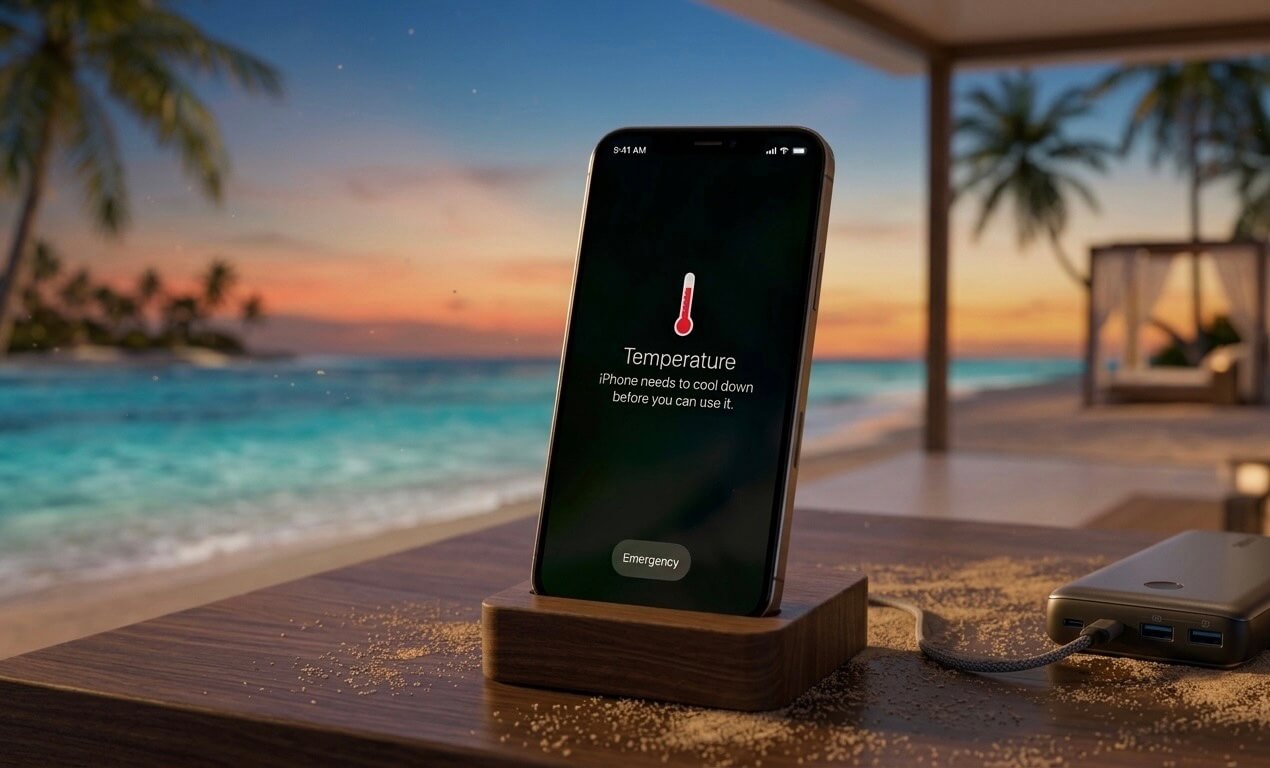
Essential Tips to Prevent Overheating
- Keep it in the Shade: Use a beach tent, umbrella, or place the phone under a bag or towel to block direct sun.
- Remove the Case: A bulky, protective case can trap heat. Removing it allows the phone to cool off faster.
- Use Airplane Mode: If you do not need data, turn on airplane mode to stop the phone from working hard to find a signal.
- Close Apps and Reduce Brightness: Close background apps and turn down screen brightness to reduce the load on the processor.
- Avoid Charging: Do not charge your phone while it is in the heat, as this significantly increases internal temperatures.
- Use a Koozie: Place your phone inside a foam drink koozie to keep it shaded and insulated.
What to Do If It Overheats
- Take It Out of the Case: Immediately remove any protective, insulating cover.
- Move to Shade/Cool Area: Get it out of the sun and into a shaded, dry area.
- Shut It Down: Turn the phone off if it’s extremely hot.
- Do Not Put in the Freezer: Do not use a fridge or freezer to cool it, as this can cause condensation inside the phone and cause permanent damage.
- Use a Fan: A handheld fan or phone cooler like those on Amazon can rapidly cool it


Your Step-by-Step Guide to Summer Tech Care
Taking active steps to 5 pro tips to prevent phone overheating at the beach is the best thing you can do to prolong your smartphone’s battery life. Most travelers experience device shutdowns simply because they leave their tech out on a towel in direct sunlight. If you want to 5 pro tips to prevent phone overheating at the beach effectively, you have to start by addressing ventilation.
- Optimize Your Device’s Physical Environment
First, strip off your heavy-duty rubber or plastic protective armor. Removing these cases allows internal thermal energy to escape, which is a crucial first step to 5 pro tips to prevent phone overheating at the beach when ambient temperatures cross 90°F. Additionally, keep your device off the ground. Because sand acts as a massive heat insulator, elevating your smartphone inside a shaded, breathable mesh tote bag will naturally 5 pro tips to prevent phone overheating at the beach from ruining your day.
- Tweak Your Internal Settings
Next, you need to minimize the work your phone’s processor is doing under the hood. Switching your smartphone into airplane mode turns off cellular antennas, a simple setting adjustment that helps 5 pro tips to prevent phone overheating at the beach by cutting down internal battery strain. Dimming your screen brightness and closing heavy background applications will also significantly lower the device’s baseline temperature. If you neglect these settings and fail to 5 pro tips to prevent phone overheating at the beach, your phone will aggressively throttle its processing power, causing laggy camera performance or a black warning screen.
- Deploy Creative Insulation Hacks
Fortunately, avoiding a thermal shutdown doesn’t require expensive gear. You can easily prevent phone overheating at the beach with 5 pro tips by sliding your phone inside a clean, light-colored beverage koozie to buffer it from hot air currents. If your device is already running hot, placing it near a small portable travel fan can help, but avoid tossing it into an icy cooler, as extreme temperature drops cause internal condensation damage.
Ultimately, the most reliable rule of thumb to prevent phone overheating at the beach with 5 pro tips is keeping the device completely shielded from direct solar radiation under an umbrella. Once you combine physical shade with smart internal settings, you will consistently 5 pro tips to prevent phone overheating at the beach and keep your mobile essentials running flawlessly all summer long.
Final Thoughts
Smartphones are built for everyday life, but intense summer heat pushes them beyond their comfort zone. Direct sunlight, charging, heavy app usage, and poor airflow all combine to create overheating problems during beach trips and vacations.
Fortunately, a few simple habits can dramatically reduce the risk:
- Keep devices shaded
- Use insulated cooling pouches
- Remove thick cases when necessary
- Avoid charging in direct sunlight
- Reduce processor-heavy activity outdoors
Protecting your phone from overheating doesn’t require expensive equipment — just smarter heat management.
For travelers who spend lots of time outdoors, thermal accessories like cooling pouches and heat-resistant phone cases can provide extra protection and peace of mind during the hottest months of the year.
Frequently Asked Questions: Smartphone Heat & Cooling
Q: Why does my phone get so hot when I’m out in the sunlight?
A: Your phone doesn’t have internal cooling fans like a computer, so it relies entirely on its body to shed heat. When you are in direct sunlight, the device absorbs the sun’s radiant energy (especially if it has a dark screen or back). To make matters worse, your phone automatically cranks its screen brightness to 100% so you can see it, forcing the battery and processor to work overtime and generate massive amounts of internal heat.
Q: Is it safe to cool down my phone with ice, frozen items, or gel packs?
A: No, it is highly unsafe. While it might be tempting to slap a frozen gel pack, an ice cube, or a frozen juice pouch against your phone, doing so introduces the danger of condensation. The extreme, rapid temperature drop causes moisture in the air inside your phone to turn into liquid droplets. This can instantly short-circuit your phone’s motherboard and permanently damage the hardware, rendering any water-resistance ratings useless.
Q: Can I put my phone in the freezer for just a few minutes to cool it fast?
A: Absolutely not. Experts strongly advise against ever putting a phone in the freezer. Aside from the severe risk of internal condensation, the extreme cold can crack the glass components, cause the screen to malfunction, and permanently degrade the health of your lithium-ion battery.
Q: Should I remove my phone case on hot days?
A: Yes. Most phone cases—especially thick protective ones or those made of silicone and heavy plastic—act like a winter coat, trapping heat inside the phone. Stripping the case off allows the phone’s exterior to properly dissipate heat into the surrounding air.
Q: Do dedicated “cooling cases” or pouches actually work?
A: It depends on the type. Specialized thermal cases made of breathable or heat-conductive materials can help improve natural airflow. However, “cooling pouches” that rely on ice inserts or gel packs carry the same moisture and condensation risks as putting your phone in the freezer. For most users, simply removing a standard case is much more effective (and free) than buying a specialized gadget.
Q: How can I safely and quickly cool down an overheated phone?
A: If your phone gives you a temperature warning, follow these safe steps to cool it down without risking damage:
• Move it to the shade: Get it out of direct sunlight immediately. Even burying it under a towel or putting it inside a bag helps.
• Use moving air: Place the phone in front of a fan, an air conditioning vent, or wave a piece of cardboard over it. Moving air quickly dissipates heat safely.
• Take off the case: Let the phone’s body breathe.
• Lighten the workload: Turn on Airplane Mode, close all open apps, or turn the phone off completely for 5 to 10 minutes to let the internal components rest.
📖 More Practical Tech Guides & Gift Ideas
If you’re still looking for the perfect tech accessory or want to upgrade your own gear, check out our latest hands-on reviews and guides:
Essential Tech for Mom & Family
- JLab Go Air Sport Review: The Perfect Mother’s Day Gift?
- Best Phone Stands of 2026: Hands-On Testing
- How to Connect a Smartwatch to Any Android Phone
- Top Eco-Friendly Phone Cases That Actually Compost
Power & Charging Solutions (Never Run Out of Juice)
- The Ultimate Guide to Choosing the Best Power Bank Capacity
- Best Power Banks for iPhone 15: Tested & Ranked
- Is the Anker 10K Fast Enough for the iPhone 17 Pro Max?
- Top 5 GaN Wall Chargers Under $30
- Best 20,000mAh Power Banks with Built-in Cables (2026)
Audio, Fitness & Lifestyle
- Best Clip-On Earbuds for Running Under $50
- Sony WH-1000XM6 vs. Bose QuietComfort Ultra: The Ultimate Showdown
- Best Smartwatches Under $100 (Top Budget Picks)
- The Best MagSafe Accessories for the Gym
Maintenance & Tech Tips
- USB-C vs. Lightning: What Cables Do You Actually Need?
- Do Magnetic Phone Holders Damage Your Phone? (The Truth)
- How to Clean Salt and Sweat From Your Running Earbuds
Explore More: Check out our full collection of The Best Mobile Accessories of 2026 for every device and budget.